August 20, 2024
I’ve been using the flashcard program Anki religiously to study programming concepts. It’s been even less exciting than it sounds because I haven’t had syntax highlighting; all my code has looked like this:
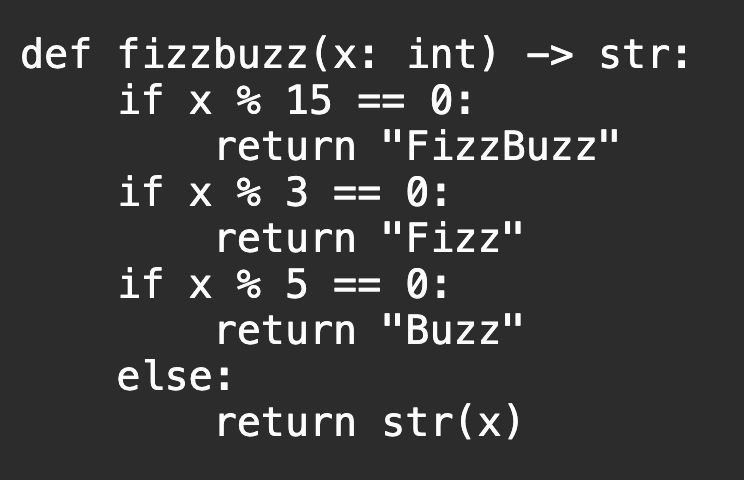
After a few fits and starts, I figured out a way to highlight code blocks that doesn’t rely on Anki’s add-on system, which isn’t supported by its mobile apps. This post is more synthesis than genesis - I found a lot of useful information online, but nothing that put everything together. Here’s my attempt to do so.
The easiest way to get started
If you are just looking to get highlight.js working with an Anki collection; I have a treat for you. Here’s a massive 151KB Anki export (half the size of one of the images in this post) containing a single card…and all the files you need to highlight your code. To change your theme, open the card template editor (for example, from studying a card -> Edit -> Cards..., click Back Template, and modify <link rel="stylesheet" href="_nord.css"> to refer to the name of another highlight.js stylesheet (see the demo for inspiration).
If you want to learn more about how this works, read on.
Configuring Anki to use highlight.js: The hard way
- Download highlight.js. You’ll likely only need
highlight.min.jsand the themes you want to use (as a tall, pale dude from the Midwest, I’m all-in onnord.css). See the documentation to verify your target language is supported. - You’ll need to add
highlight.min.jsand your css file to your Anki installation’scollection.mediadirectory. On Mac, this is located at~/Library/Application Support/Anki2/User 1/collection.media.User 1here is my Anki username and the default username in Anki; this will change if you have updated your username in Anki. By default, Anki will consider these files unused media if a user usesTools > Check Media, and it will therefore suggest we remove them. We can prevent this by prefixing the files with an underscore. I suggest renaming them to_highlight.min.jsand_nord.css(or the like). - Create a new file in the
collection.medianamed something like_my_highlight.js. This file should include the following:
document.querySelectorAll('pre code').forEach((block) => {
    // Replace HTML <br> with newline characters
    // https://stackoverflow.com/a/37815205/4738478
    block.innerHTML = block.innerHTML.replace(/<br\s*\/?>/gi,'\n');
    // Use highlight.js
    hljs.highlightElement(block);
});
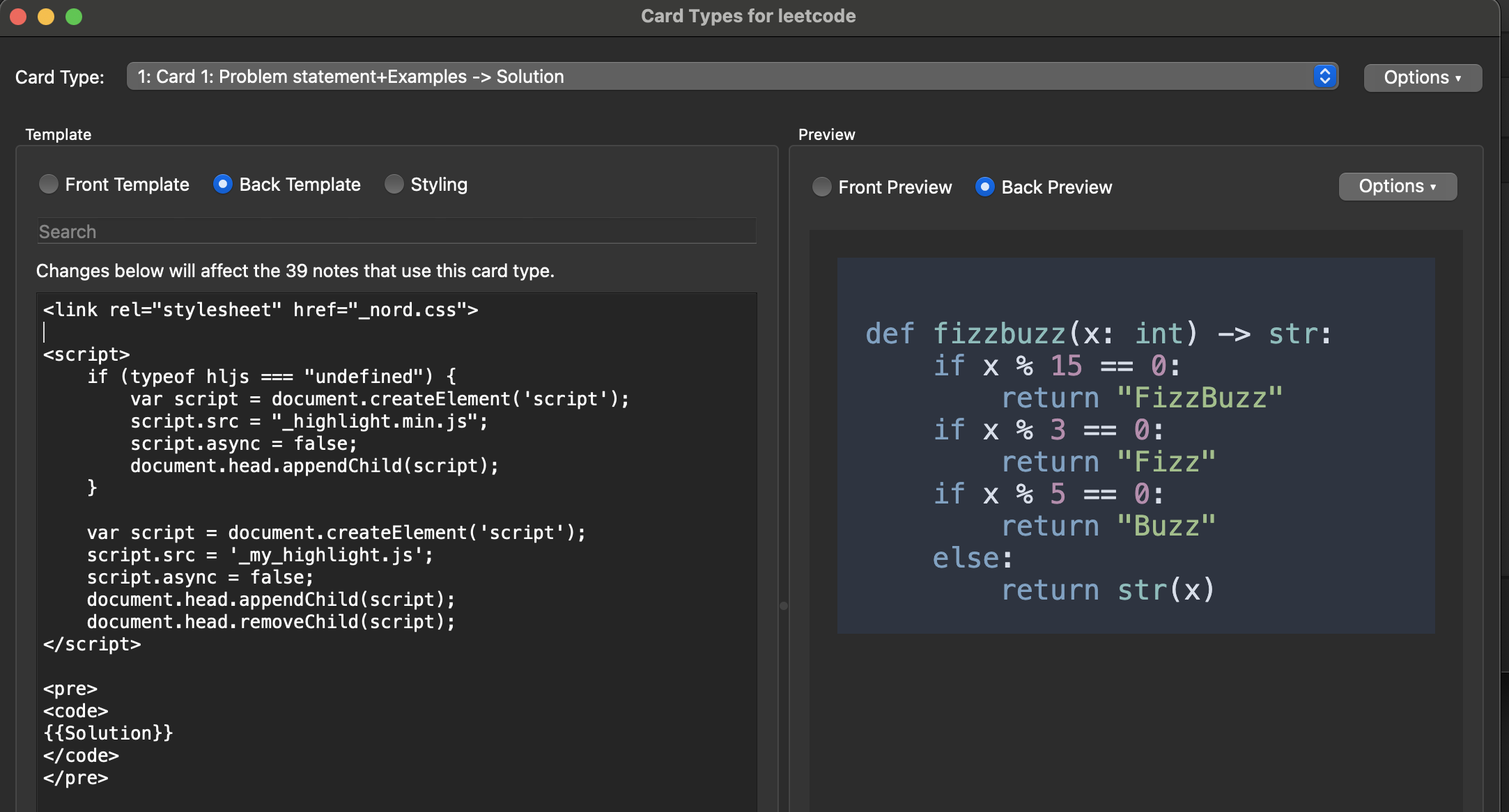
- Open the Anki card template where you want to enable syntax highlighting (I get there with
Browse -> Cards. Edit the card to include the following:
<link rel="stylesheet" href="_nord.css">
<script>
    if (typeof hljs === "undefined") {
        var script = document.createElement('script');
        script.src = "_highlight.min.js";
        script.async = false;
        document.head.appendChild(script);
    }

    var script = document.createElement('script');
    script.src = '_my_highlight.js';
    script.async = false;
    document.head.appendChild(script);
    document.head.removeChild(script);
</script>

<pre>
<code>
{{MyCodeField}}
</code>
</pre>
Where {{MyCodeField}} is the name of the code field on your card. (Mine is {{Solution}}). Why does this work? I’m still figuring that out.
You should now see your rendered code in your card preview.
- Close your Anki app to sync your changes.
Congrats, that’s it! This gives you:
- Syntax highlighting in whatever theme you want
- Automatic language discovery through
highlight.js. (Languages can be set manually withclass="code-python">if you prefer) - Mac, web, and iOS support, at least (if any Android Anki-ers (Ankis? Ank-ers?) read this, I’d love to see if it works for you, too)
- Offline availability. You have to love some local JavaScript and CSS.
- Your data preserved. You don’t have to modify your card data to use this highlighting (unlike some add-ons). Remove this code, and your card is just as it was before.
Useful links
- Loading highlight JS with Anki Note: This comment is almost everything I needed, but I had to replace the
<br>tags in my code with newlines and you may have to, too. - Loading external JS with Anki
- Anki add-ons not supported on mobile
- Running the Anki QT app with logs
- Anki + the DOM